
Features of Instagram Photo downloader
igsty. com Instagram Photo Downloader is a tool that lets you save any Instagram picture to your device, whether it’s a PC, Mac, Android, or iPhone. Just paste the Instagram link, and the photo will be saved automatically. With so many posts shared on Instagram every day, many users want to keep their favorite images. IGsty Instagram Photo Download feature makes it easy to save these photos without any hassle – it’s simple, fast, and offers unlimited downloads.

Easy and Fast Downloads
Simply paste an Instagram image link, and pictures are saved to your device with one click. No complex steps.

Free and Unlimited Access
IGsty allows you to download as many Instagram images as you like, completely free of charge.

No Software Required
You can download Instagram photos securely without installing any apps or software. Accessible on all devices (PC, Mac, Android, iPhone).
Igsty, The Best Online Instagram Downloader
Igsty is a fast and reliable Instagram downloader that allows you to download any content from Instagram. With its simple design and downloading process, you can save content without using different apps.
No matter if you want to save your favorite Instagram posts for offline viewing or edit them for content creation, IGsty makes it quick and easy. It is a perfect downloader tool for users who want convenience and speed. This tool can be used on any device without any complex downloading steps.
Why Choose Our Instagram Photo Downloader?
igsty com is a website that helps people to download Instagram photos (HD) online easily, so they don’t need to take screenshots or manually remove the watermark by editing tools.
- Fast and easy Instagram photo download without watermark.
- Insta photo saver with a simple, user-friendly interface
- Download multiple Insta photos from carousel posts.
- Works on all devices, including PC, Mac, Android, and iPhone.
- HD Instagram image downloads.
- Completely free to use
How to Download Instagram Photos on #igsty
Here are quick steps to download Photos, reels, or any other content from Instagram by using the IGsty downloader
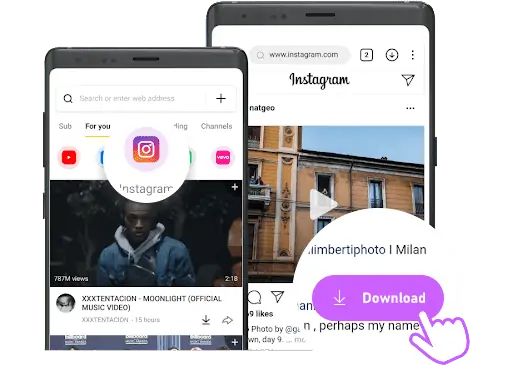
Note: With igsty. com, you can download any type of Instagram content (Videos, Photos, Reels, Stories, IGTV). We continuously improve to provide the best experience. Please share this tool with friends and family!
Frequently Asked Questions
This FAQ addresses common questions and concerns about the IGsty Instagram photo downloader. If you don’t find the answer you’re looking for, feel free to email us through our contact page.
An Instagram photo downloader is an web-based tool that lets you save Instagram images directly to your device. It makes it easy to download photos that aren’t otherwise available on the Instagram platform.
Yes, it is legal to download Instagram photos for personal use. However, make sure you respect copyright laws and the rights of content creators by not using the images for commercial purposes without permission.
Yes, you’re able to download and save Instagram photos directly to your computer, as well as other devices like phones or tablets.
igsty com works by letting you paste the Instagram post link into the search box on the Igsty website. Once you click download, Igsty fetches the media from Instagram's servers and gives you a direct download link in original quality.
Yes, #igsty is completely free to use. There are no hidden charges, subscriptions, or sign-up requirements — you can download unlimited photos and videos from Instagram using Igsty anytime.
No, igsty is a fully web-based tool. You don't need to download or install any app or browser extension — simply visit igsty. com and start downloading Instagram content instantly.
The downloaded Instagram images will be saved in your device’s default download location, usually the “Downloads” folder. You can choose a different location if needed.
Yes, Igsty is 100% safe and secure. Igsty does not ask for your Instagram login credentials or personal information, so your privacy is fully protected while using the tool.
Yes, Igsty is fully responsive and works smoothly on mobile, tablet, and desktop devices, allowing you to download Instagram photos directly to your phone gallery.
No, you can only download photos from public Instagram accounts. Content from private accounts is not accessible through our downloader.